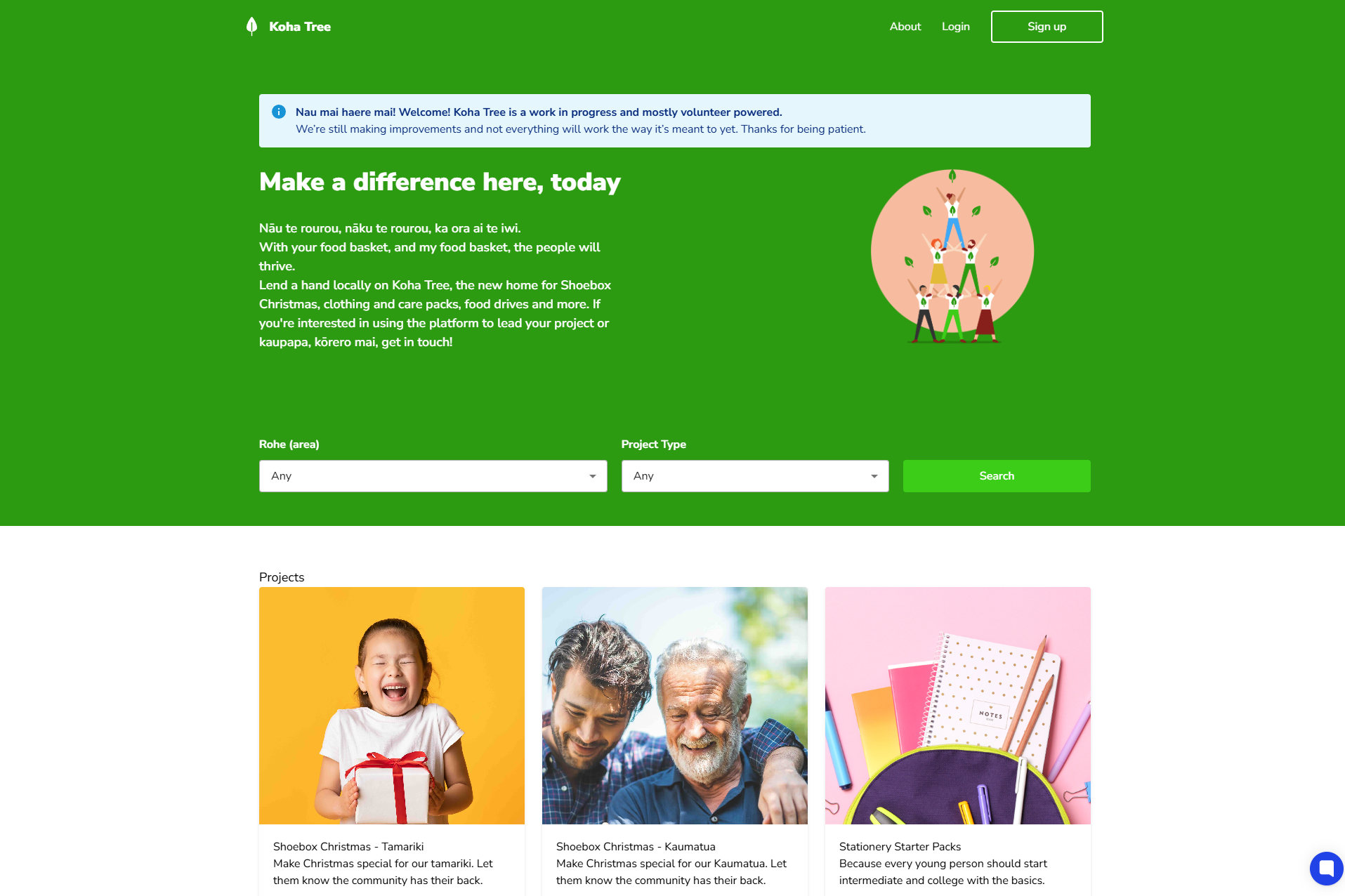
Starting from kohatree.co.nz:
Choose Your Rohe (Area)
Use the "Rohe (area)" dropdown to select your region
This ensures you'll only see projects you can actually reach
Select Your Project Type
Choose from the "Project Type" dropdown if you have a preference
Leave it as "Any" if you're open to all types of community mahi (work)
Click "Search"
This will show you all available projects in your area that still need people like you
What You'll See: By default, you'll only see projects that are actively looking for more people to join - we call these "open projects." If you want to see all projects in your area (including those that are already full), simply untick the "Show open projects only" checkbox.
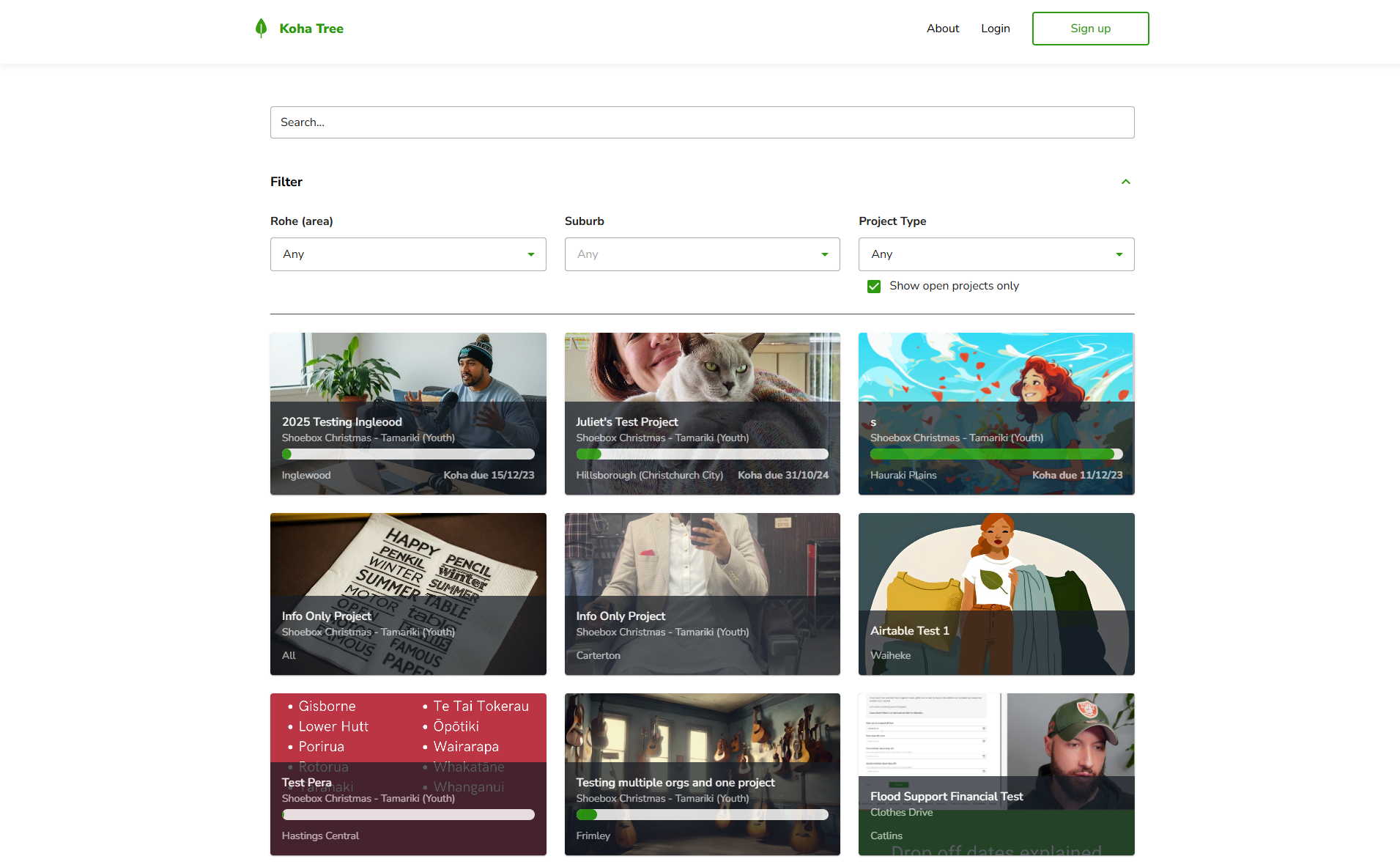
Sometimes you might want to browse all available opportunities before deciding where to focus your aroha (love). The Explore page is perfect for this.
Getting to Explore:
If you're already logged in: Click "Explore" in the top navigation
From the homepage: Click "Explore all" to see everything available
Using the Filter Options:
Rohe (area): Select your preferred region
Suburb: Narrow down to specific neighbourhoods
Project Type: Choose what type of mahi appeals to you
Show open projects only: Keep this ticked to see only projects you can join
Pro tip: If you can't find what you're looking for in a specific suburb, try searching by Rohe instead. We group areas together based on the best information we have, but sometimes the area you're thinking of might be listed differently.
Remember: Our community doesn't exist without people like you exploring ways to help. Take your time finding the right fit!
Ngā mihi (thanks) for wanting to make a difference in your community! Every search brings you closer to creating positive change.