First things first: this is for when you're the person pulling together a group of gifters inside your workplace or organisation. It's different from being a Project Coordinator (the role that runs a whole Shoebox Christmas project for a school or community). Here, you're simply the one organising your own team — no project to run, just your people and your gifts.
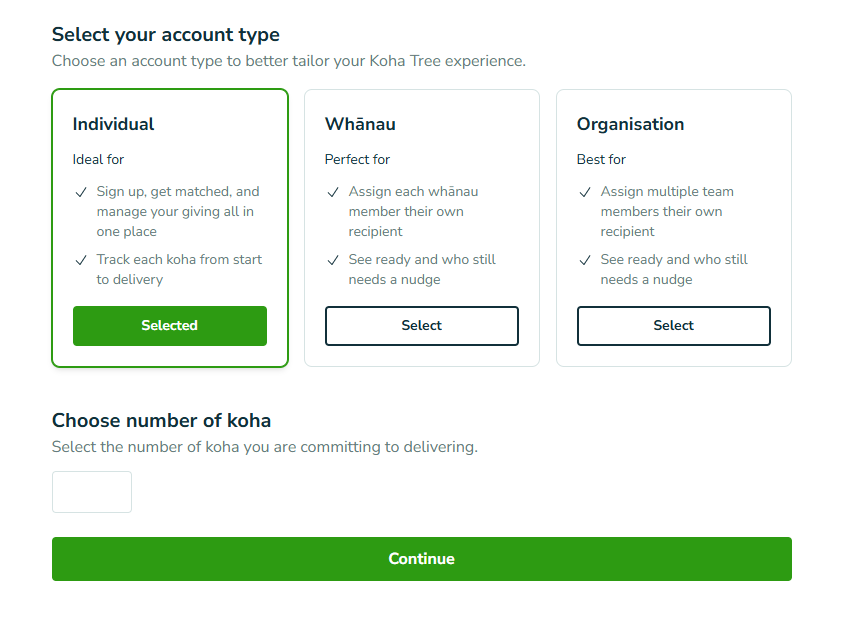
When you click Sign up, choose Organisation as your account type. That's the option built for teams giving together.
From there, you'll choose how many gifts your team wants to give. Pick the number that feels right for your crew — you know your people best.
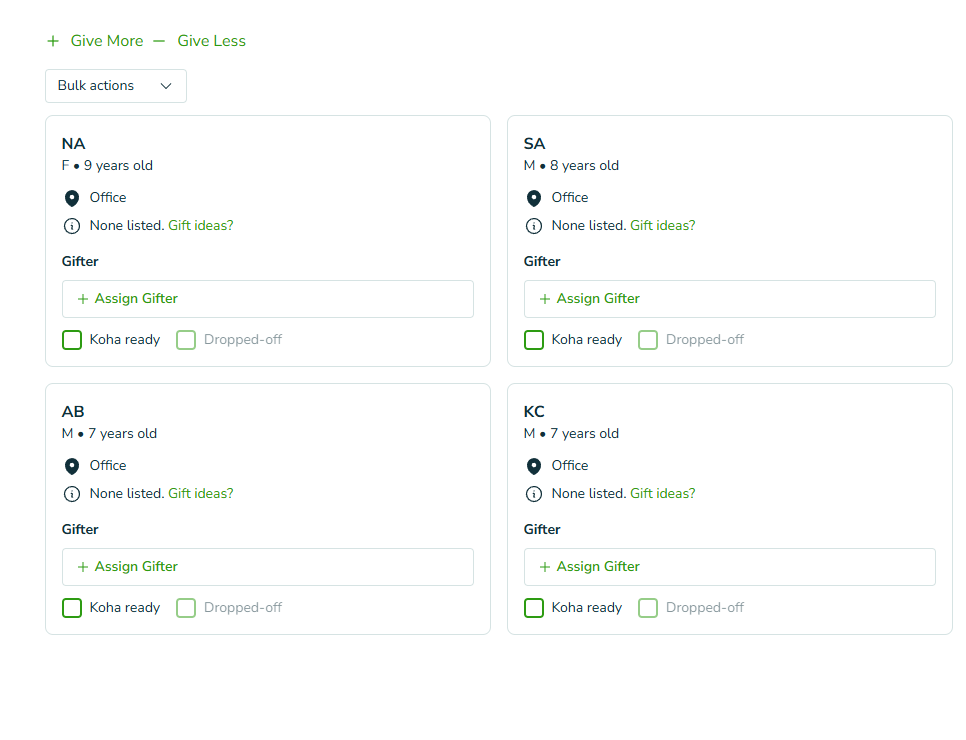
Once you've chosen how many gifts you're giving, the next screen shows you the tamariki you've been matched with. You'll see the details for each child here — everything your team needs to choose a thoughtful gift.
Take a moment here. Behind every one of these is a child who'll feel the aroha your team puts in.
This is the part that makes coordinating a breeze. Next to each tamaiti, you can assign a gifter — just pop in the name of the team member who's looking after that child's gift.
[SCREENSHOT: a tamaiti row with the "assign a gifter" field, a name typed in]
A few things worth knowing about how this works:
It's just a note for you. The name you write is a plain text note to help you keep track — nothing more.
It doesn't contact anyone. Assigning a gifter doesn't send that person a message or an email.
Your team member doesn't need to sign up. They don't need a Koha Tree account, a login, or anything at all. You're the only one who needs to be set up.
So whether you're the central coordinator holding it all together, or you're jotting down which teammate has taken which child, it's entirely up to you how you use it.
Because you can see at a glance who's gifting to which child, it's easy to stay on top of things as the season rolls on. Use it to see:
which tamariki are matched to which team members
which gifts are ready to go
who has dropped their gift off to you, if you're doing a centralised drop-off (lots of teams do this — one person collects everything and delivers it together)
It's a simple way to keep the whole kaupapa organised without a spreadsheet or a stack of sticky notes.
Honestly? It's a great thing to do together. It gives your crew a shared kaupapa, a bit of a buzz in the lead-up to Christmas, and the chance to make a real difference for tamariki in your community — all at once.
Nāu te rourou, nāku te rourou, ka ora ai te iwi — with your food basket and my food basket, the people will thrive. That's team gifting in a nutshell.
If anything's not quite making sense, kōrero mai — get in touch and we'll help you get your team sorted.