
Getting to the Edit screen
Log in, click Organised Projects, and open the project you want to update. Along the top, click Edit in the header menu (Summary, Communication, Edit, Updates).
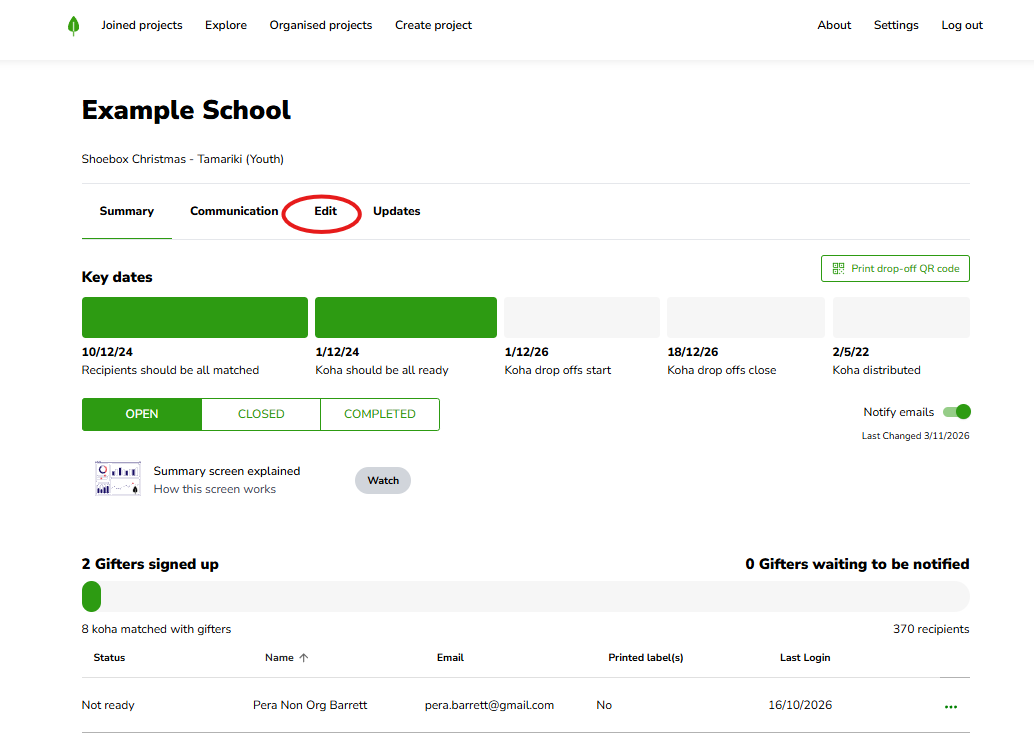
The four dates you can set
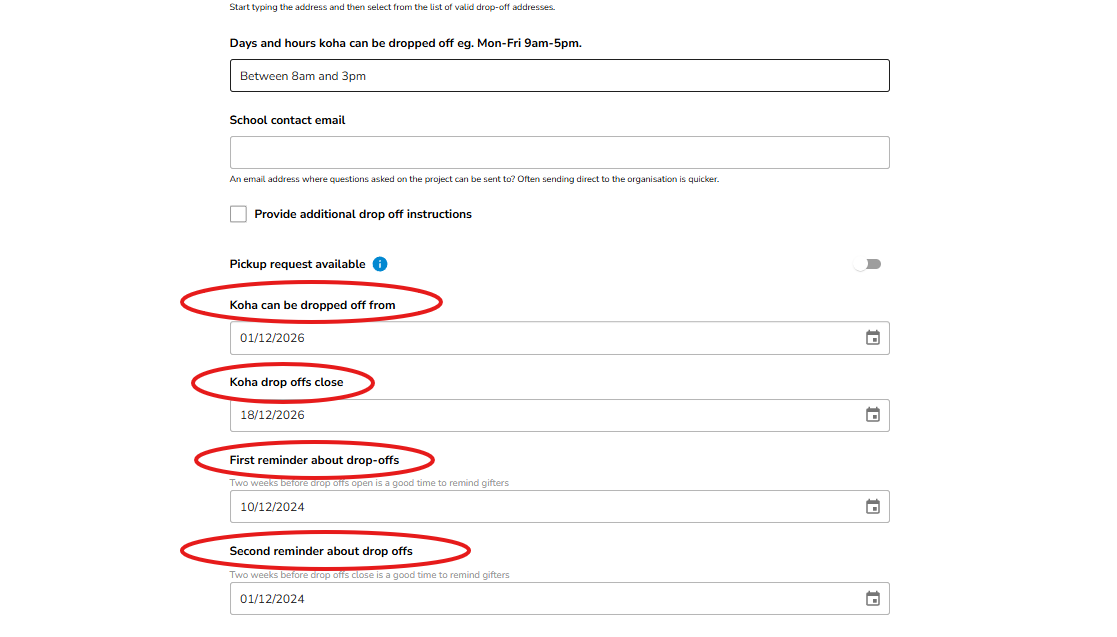
On the Edit screen, scroll down to the drop-off dates. There are four:
Koha drop-off opens — the date drop-offs open, so gifters know when they can start bringing their koha in.
Koha drop-offs close — the date drop-offs close.
First reminder about drop-offs — the date we send the first automatic reminder.
Second reminder about drop-offs — the date we send the second automatic reminder.
A note on the two reminders
The first and second reminder dates are when we automatically email gifters who've signed up but haven't delivered their koha yet. They're a gentle nudge to help make sure every tamaiti ends up matched and gifted, so it's worth setting them for dates that give people enough time to get in before drop-offs close.
Gifters who've already delivered their koha won't get these reminders.
Saving your changes
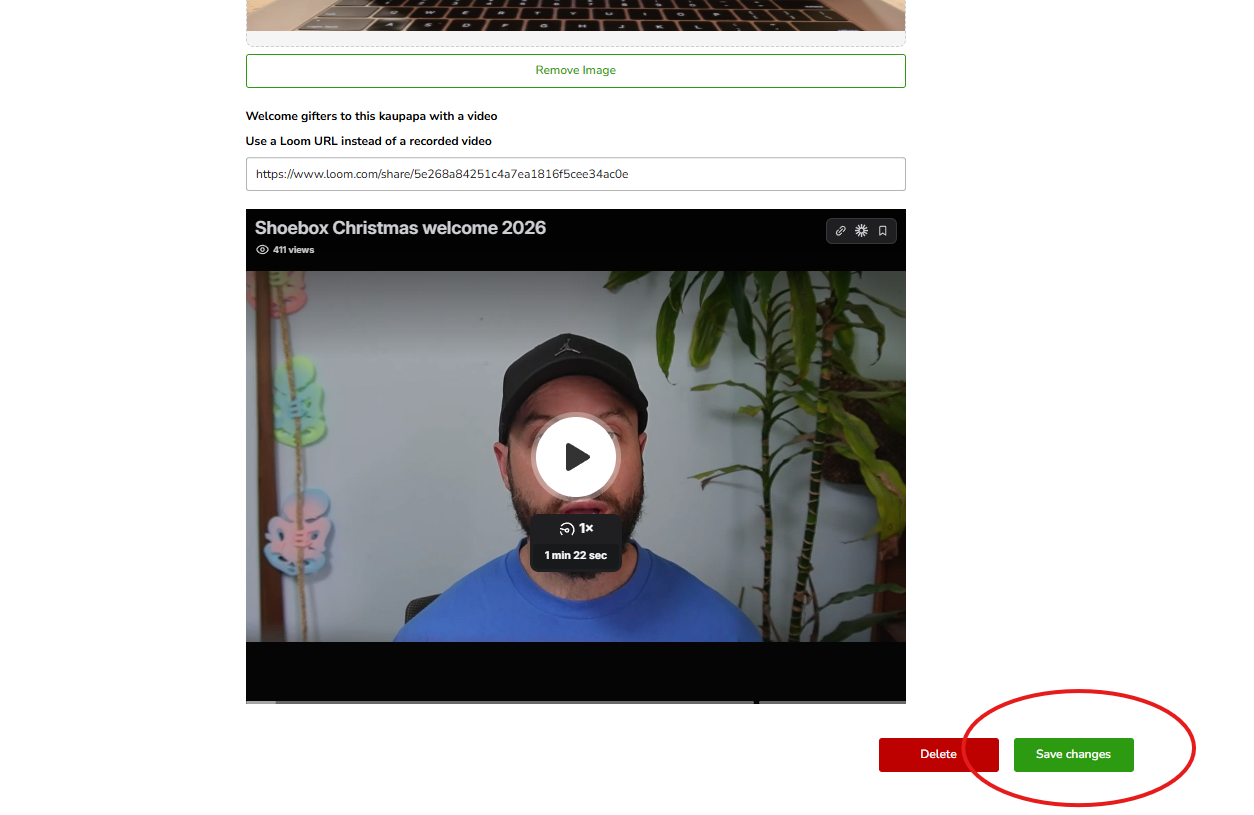
Update any of the four dates, then scroll down and save (the save button at the bottom of the Edit screen).
Still stuck?
If your dates aren't saving or something looks off, kōrero mai — get in touch and we'll sort it with you.