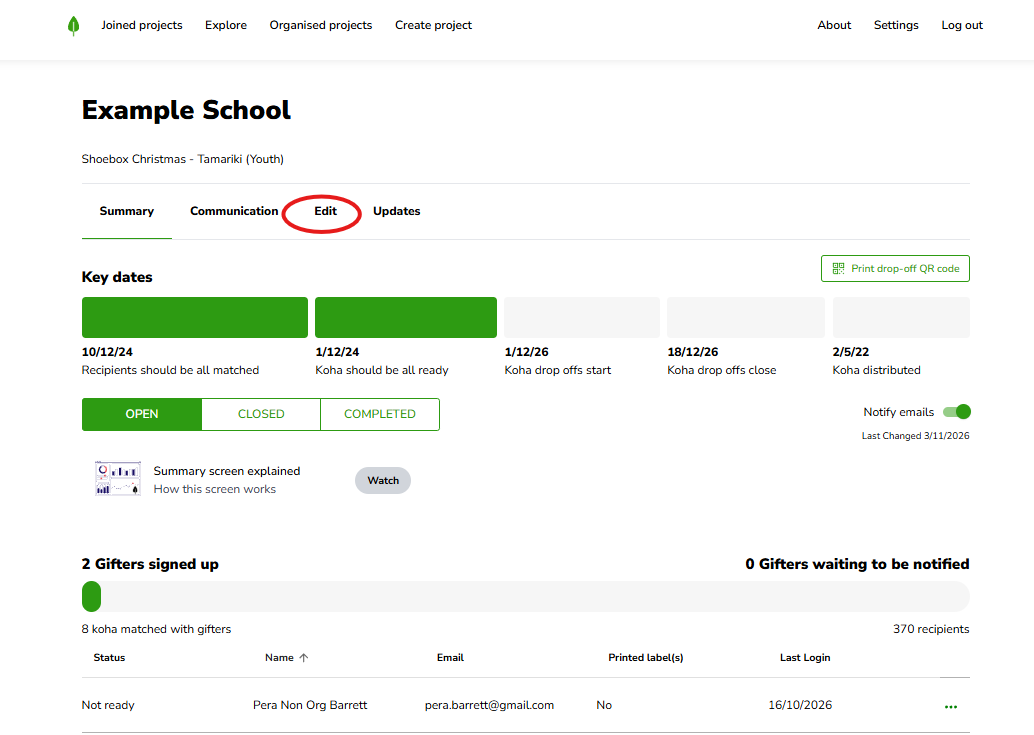
Log in, click Organised Projects, and open the project you want to update. Along the top, click Edit in the header menu (Summary, Communication, Edit, Updates).
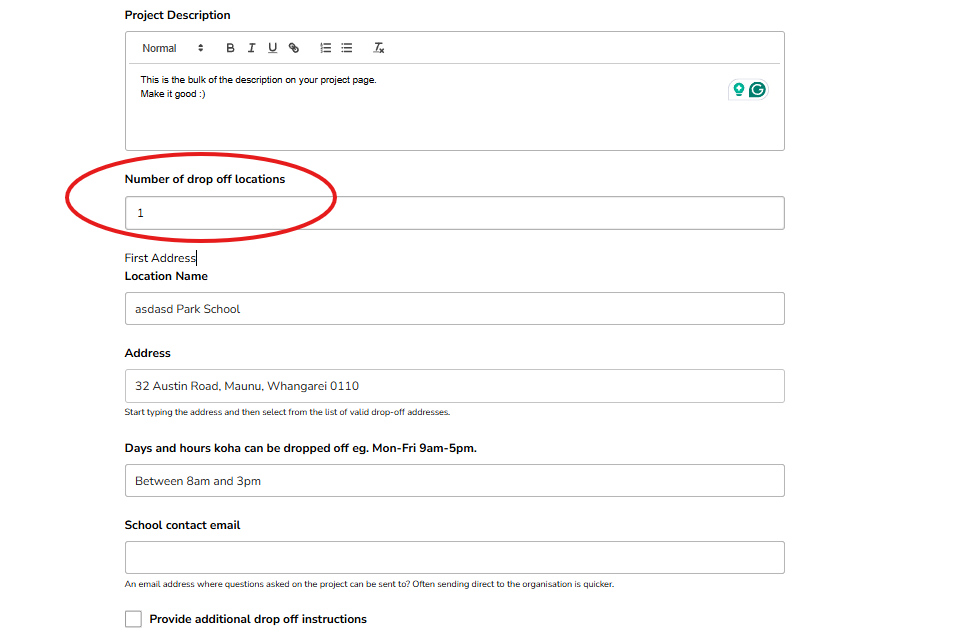
On the Edit screen, scroll down to your drop-off locations and add a new one by increasing the number of drop off locations under Number of drop off locations
This is really handy when a secondary location becomes available. A lot of schools, for example, find that gifters struggle to get to the school during school hours — so they add a second location like the coordinator's home address, open on weekends or after school. That way there's always a way for people to get their koha to you.
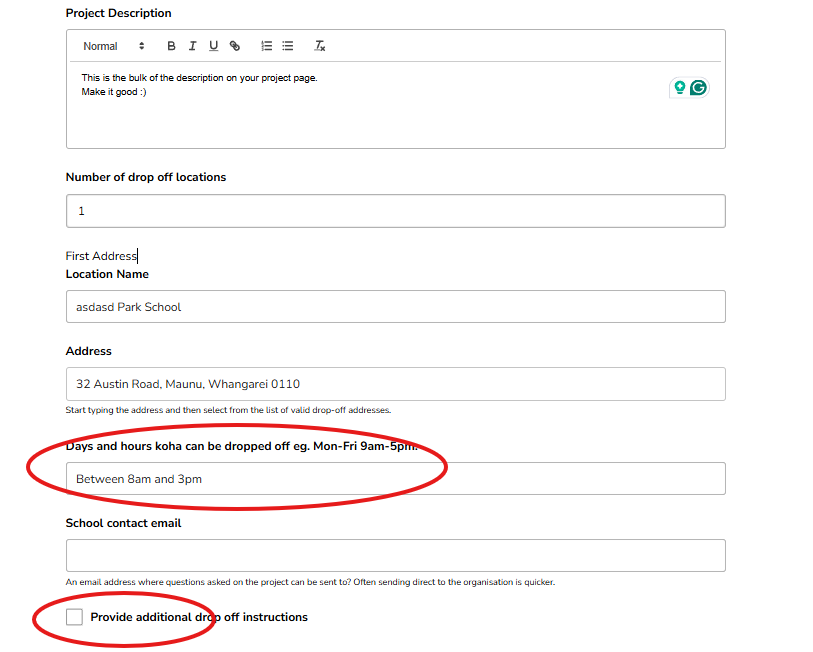
For each location, put in the days and hours it's open for drop-offs, so gifters know exactly when they can come.
If there's anything else a gifter needs to know, tick the Provide additional drop-off instructions box. This is the spot for things like:
"Please text me first on this number before you come."
"We've got a dog, so make sure you come around the side."
To change a location you've already set up, just update its details — the address, the days and hours, or the instructions — right there on the Edit screen.
Once your locations are how you want them, scroll down and save (the save button at the bottom of the Edit screen).
[SCREENSHOT] the save button at the bottom of the Edit screen
If a location isn't showing the way you expected, kōrero mai — get in touch and we'll help you get it sorted.