
You set two reminder dates
When you create or edit your project, you'll set two dates:
First reminder about drop-offs
Second reminder about drop-offs
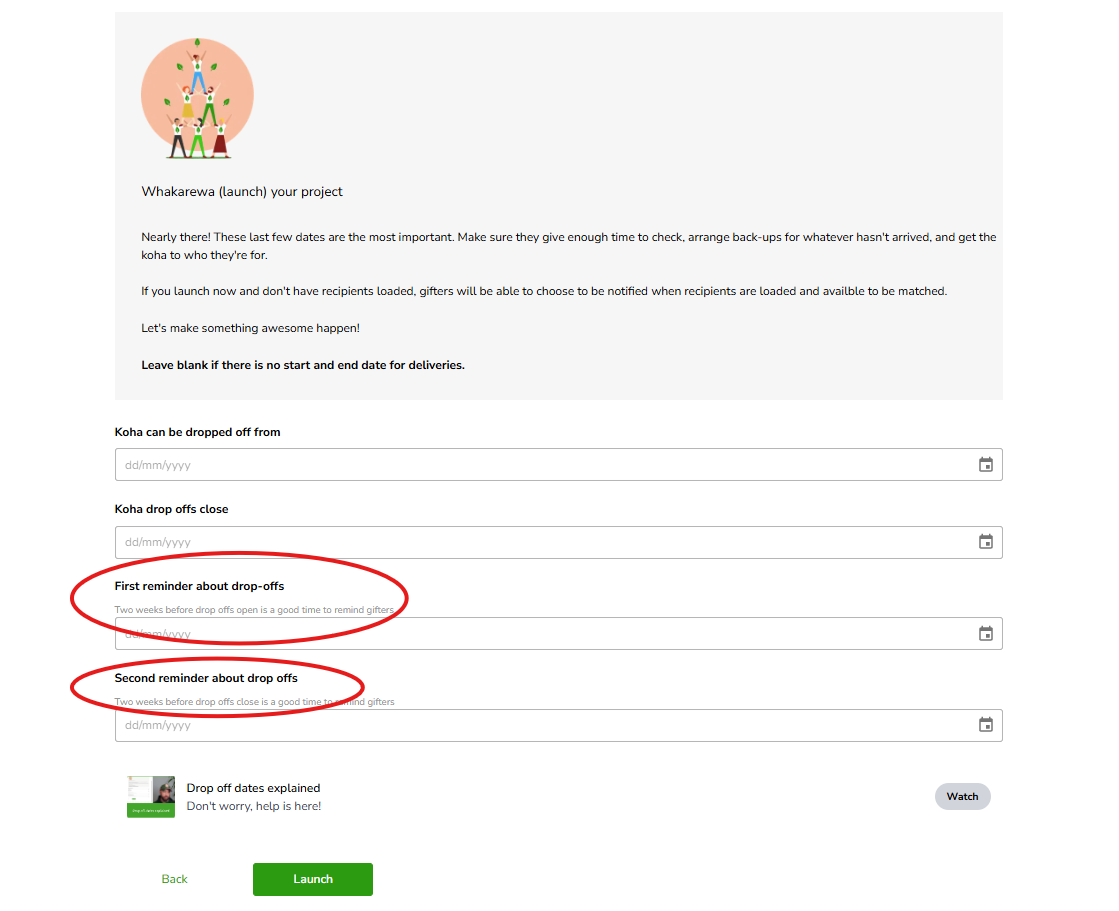
That's all you need to do. Once those dates are saved, the reminders look after themselves.
What happens on each date
Saving a date doesn't send anything - it just tells us when to look. Once a day, the system checks each reminder against today's date. It only acts on the day itself, not when you save it.
Reminder 1 "Friendly Reminder: Get Your Koha Ready"
On the morning of your First reminder date, we email every gifter on your project who still has at least one child's koha that isn't ticked as ready or delivered.
Each gifter gets one email, even if they're giving to several tamariki.
Reminder 2 "Last Call"
Same rule, on the morning of your Second reminder date - one email to each gifter who still has koha to get ready or deliver.
Who gets reminded (and who doesn't)
Only gifters with outstanding koha are emailed. If someone's already ticked all their koha as ready or delivered, they won't hear from us — no unnecessary nudges. And because each gifter gets a single email no matter how many children they're giving to, nobody's inbox gets overloaded.
Choosing good dates
Set your reminder dates so there's still enough time to get koha in before drop-offs close. A common pattern is a First reminder a week or two out, and a Last Call a few days before your close date. If you shift your drop-off dates later, remember to move your reminder dates too.
Still stuck?
If a reminder didn't go out when you expected, or something looks off, kōrero mai - get in touch and we'll sort it with you.