Open your project and click the Communication tab.
Keep Simple text selected (rather than drag-and-drop).
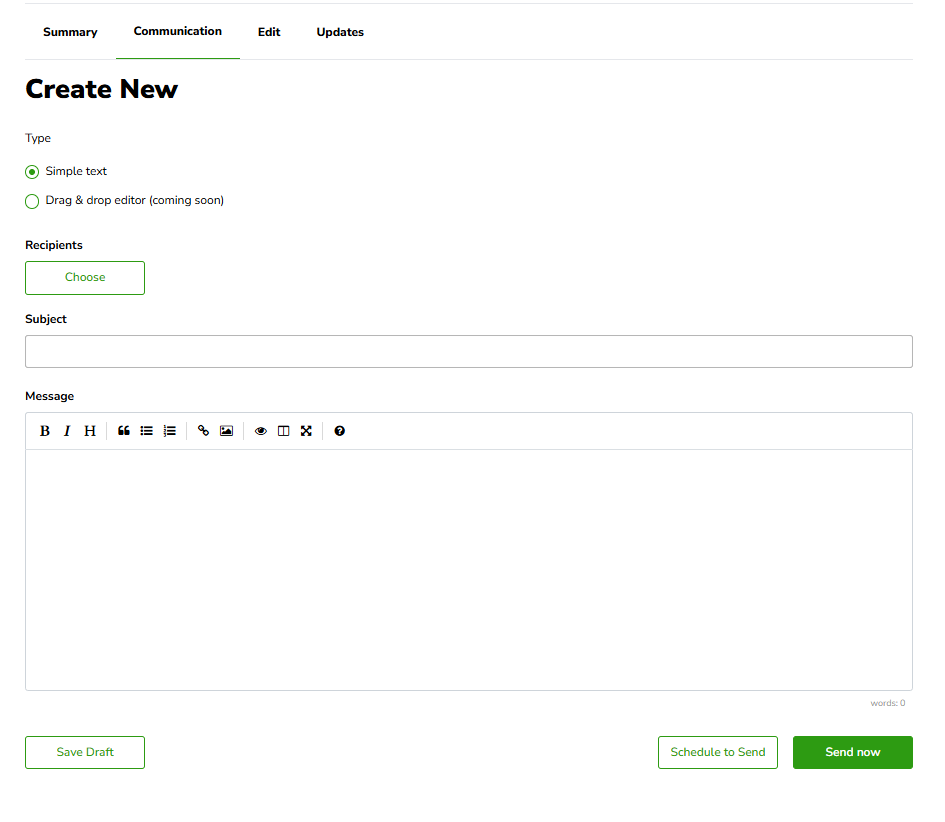
This is the important bit: click Choose recipients before you write your email.
You'll see a list of every gifter signed up to your project, along with their email address, their status, whether they've printed their label, and the last time they logged in.
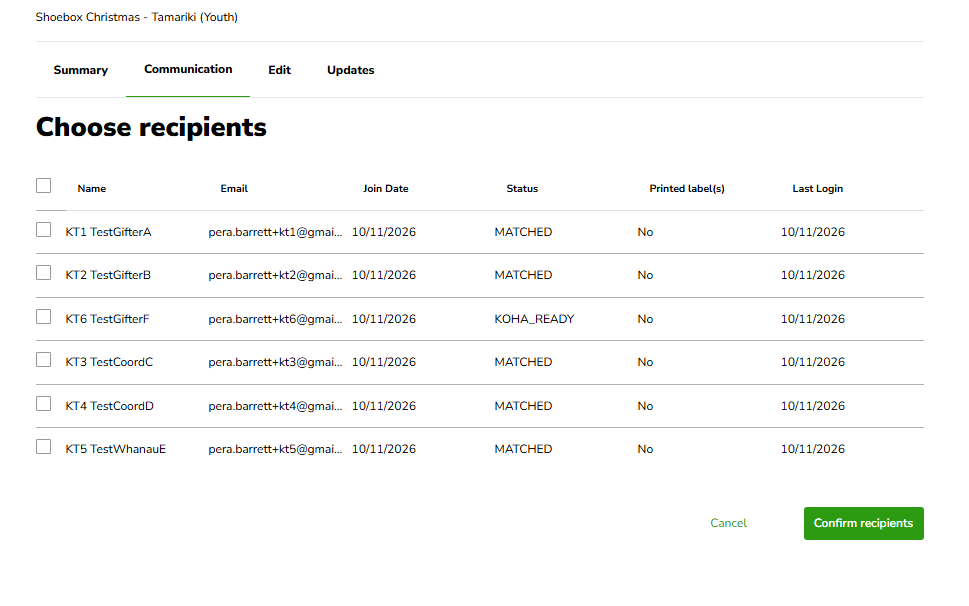
Click any column heading to sort by it. So if you want to group everyone with the same status together, just click the Status heading - then it's easy to tick the boxes beside the gifters you want.
A filter option is on its way too, and may already be there by the time you're reading this. When it's live, you'll be able to filter by everyone who's Koha ready, everyone who's Matched, or everyone who's dropped off — so you can send to those groups cleanly.
Tick the box beside each gifter you want to email. Once you're happy with your list, click Confirm recipients.
Pop your subject line in the Subject box and your message in the Message box. Keep it simple and short - that's always what lands best.
Then double-check everything before you hit send. Speaking from experience: sending a bulk email late at night, before you've had a chance to proofread, can be pretty embarrassing. A quick read-through saves a lot of that.
It's a good idea to send a dummy email to yourself before the real thing. The easiest way is to sign up to your own project as a gifter - then you'll show up in the recipient list, and you can send a test email just to yourself. That way you get to see exactly what your gifters will see, catch any typos, and make sure it all looks right before it goes out to everyone.
If something's not behaving the way you expect, kōrero mai - get in touch, and we'll sort it with you.